
Platform / AI FinOps
AI FinOps
One ledger for every governed AI dollar.
See spend by team, project and model. Set caps. Get warned before the invoice.
Watch it
Spend with an owner.
Recorded in the product on a fictional tenant with sample data. Captioned and silent, so they play anywhere, including in a meeting.
Read the transcript
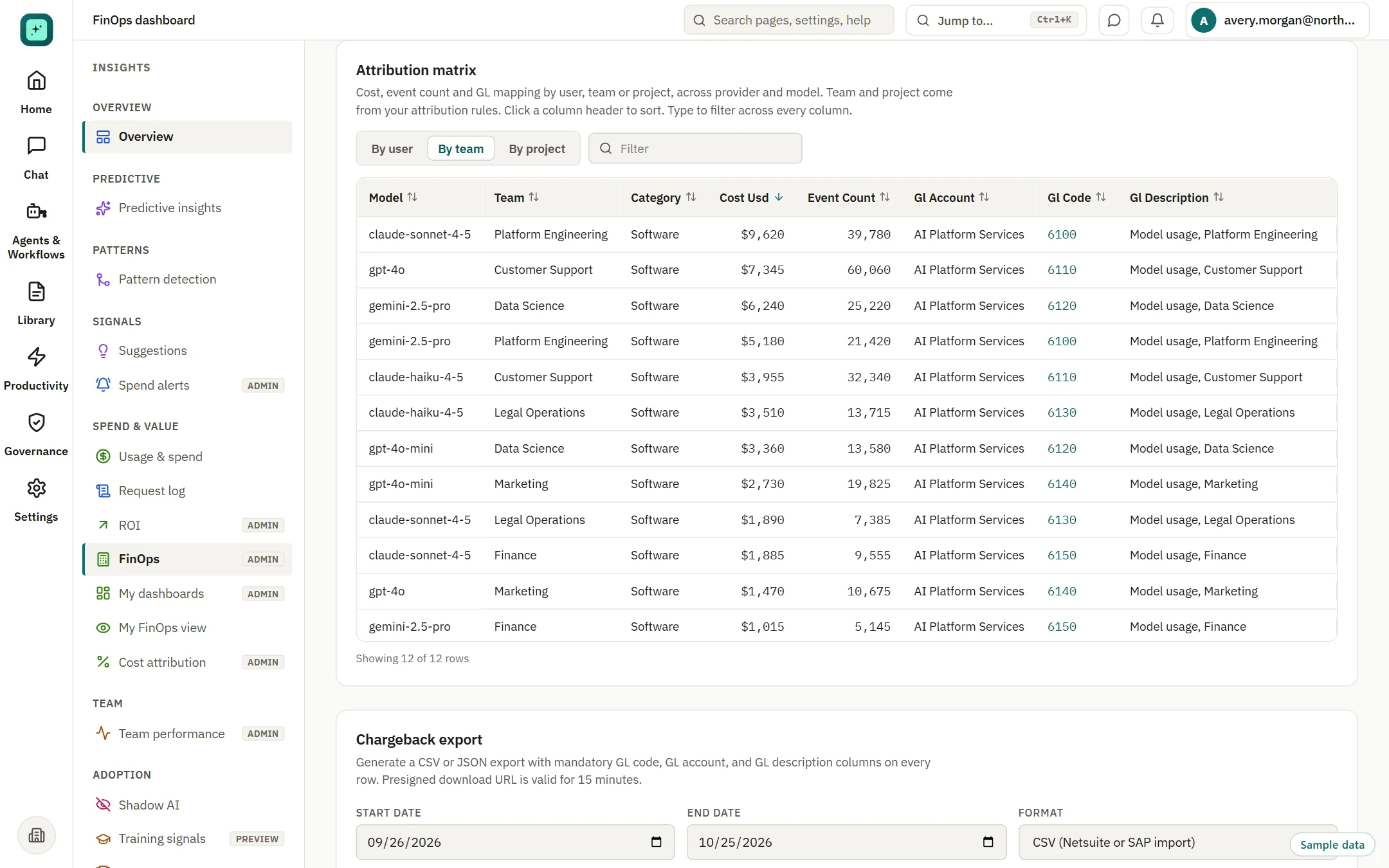
- One ledger: spend by team and model, with a ledger code on every row. Switch the view by user, team or project.
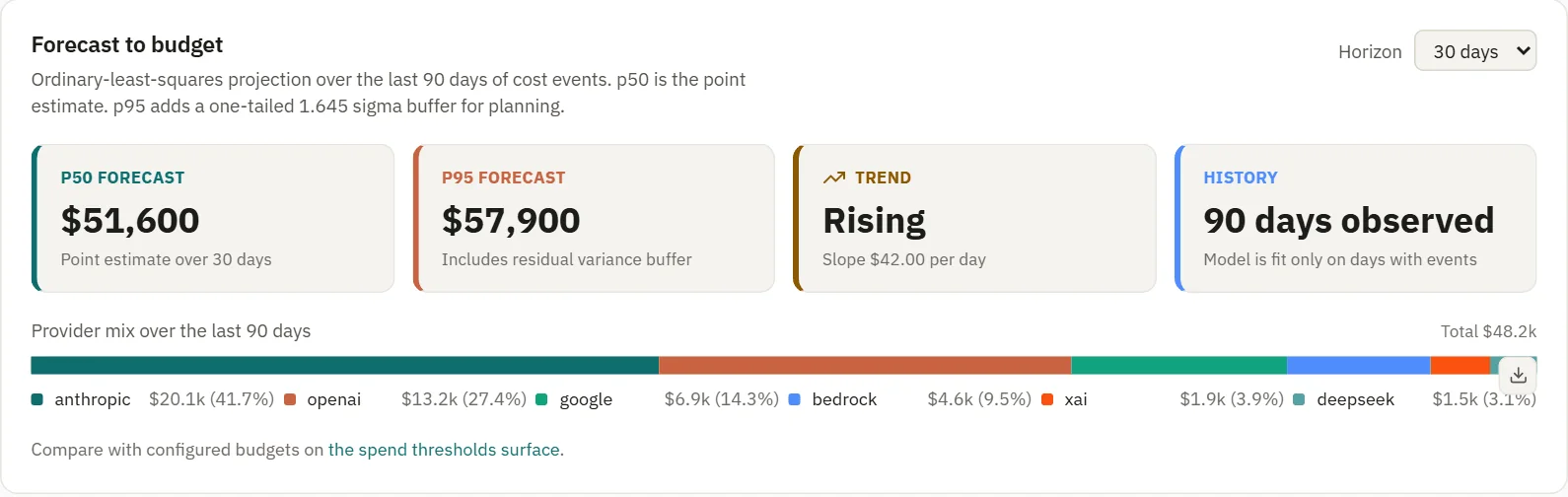
- Forecast: see where the month ends up, with a planning upper estimate.
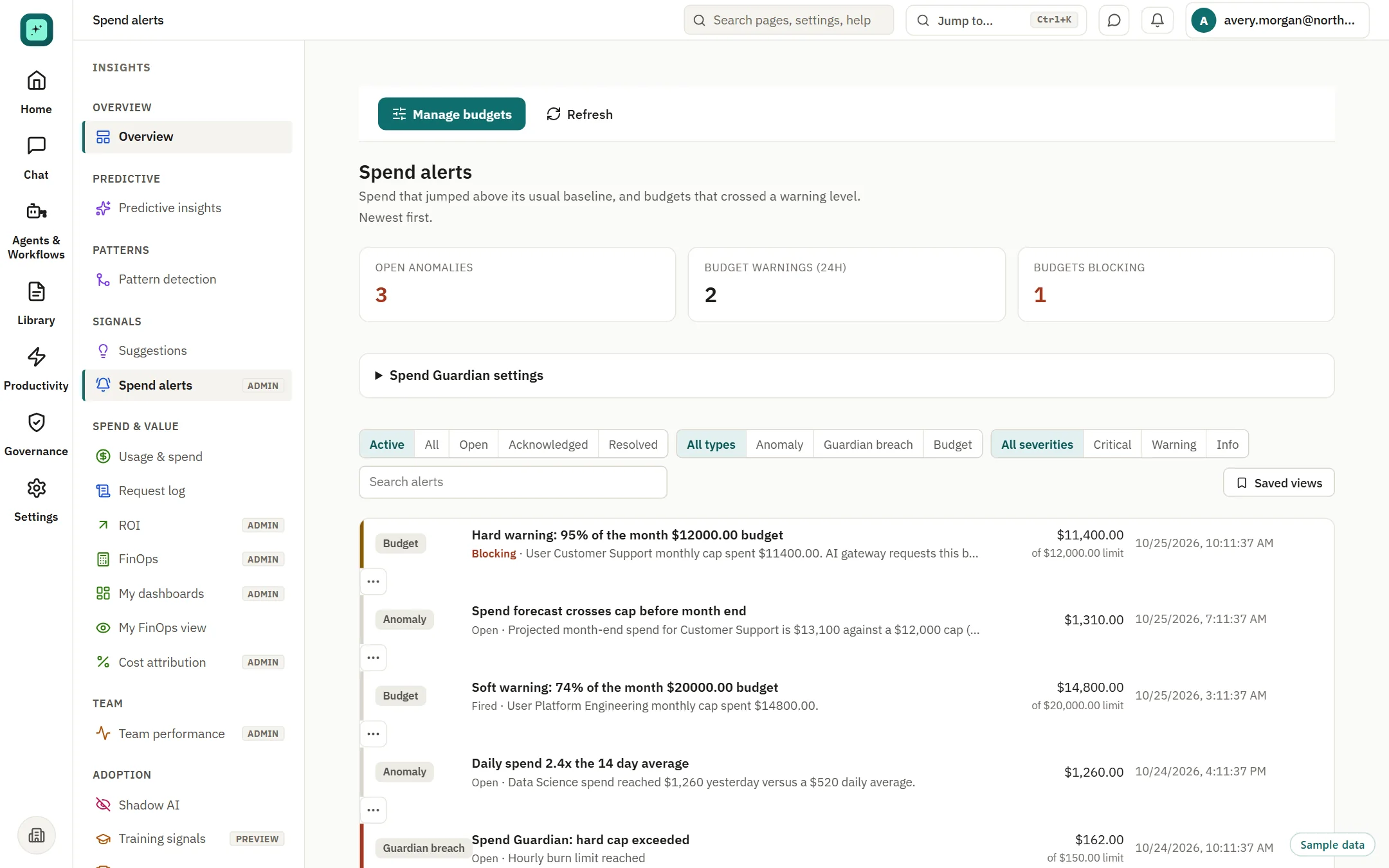
- Alerts: caps and alerts warn the owner early. They are checks, not guarantees.
One ledger
Spend by team and model, with a ledger code on every row.
Claude, GPT, Gemini, Bedrock and the rest on one page, attributed to teams, projects and tags.
- Sort and filter across every column
- General ledger account and code on each row
- Chargeback export as CSV or JSON for your finance system
Forecast and caps
See where the month ends up, and warn the owner early.
A 30-day forecast with a planning upper estimate, trend and provider mix. Caps and alerts are checks at request time.
- Forecast to budget across the providers you connect
- Alerts for caps, anomalies and breaches by team
- Savings recommendations without invented percentages
Your systems
Feed the tools finance already runs.
SynapBridge does not replace your cloud cost tool or your finance system. It feeds them.
Chargeback export
CSV or JSON with a ledger code on every row.
BI export
Scoped keys, and a Power BI feed Beta
Your own keys
You pay your providers directly. Contracts and discounts stay yours.
Questions
AI FinOps, answered directly.
Which spend does the ledger see?
Requests made through SynapBridge on the providers you connect. Spend in other tools is outside scope unless you connect it.
What happens when a cap is reached?
The cap is checked at request time and the owner is warned early. A cap is not a guarantee that no spend can exceed a limit.
Do I pay SynapBridge for model usage?
No. You connect your own provider keys and pay your providers directly.
How does the data reach our finance system?
Chargeback export as CSV or JSON, BI export with scoped keys, and a Power BI feed (Beta).
Put an owner on your AI spend.
Connect a provider and see your ledger, or book a walkthrough with finance and security.