
Product tour
Six steps through the product.
Nothing to install and no form to fill in. Real screens from the product, on a fictional tenant with sample data.
Step 1 of 6 · Compare
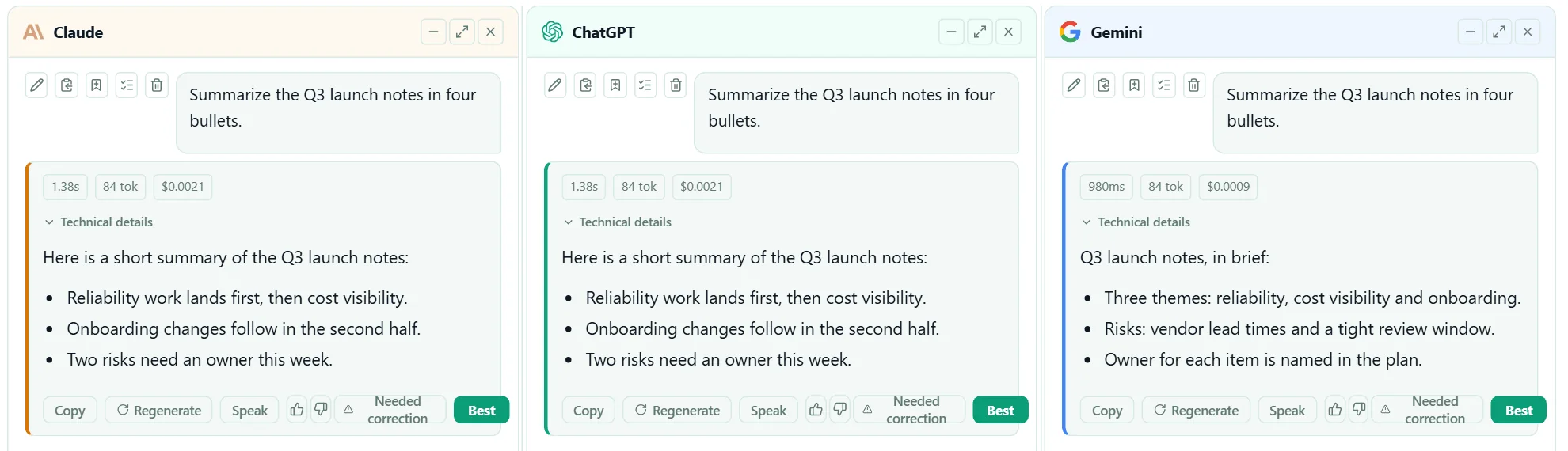
One prompt, several models, one view.
People keep the model they like. Every pane passes the same rules, and each answer shows its latency and cost.
Step 2 of 6 · One pane of glass
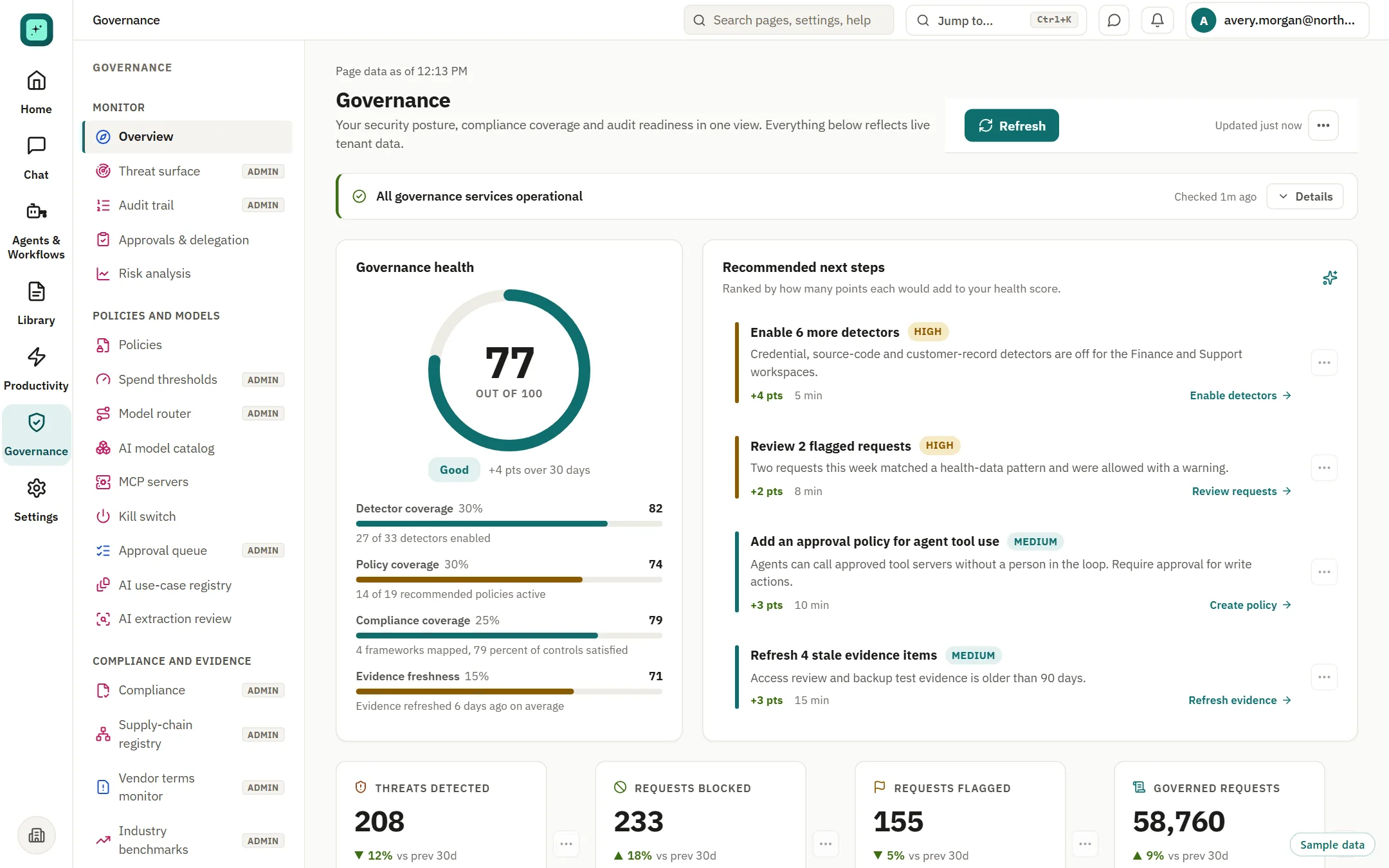
A health score that says what to fix next.
Four weighted pillars and ranked next steps, each showing the points it would add. Computed from the workspace's own settings and activity.
Step 3 of 6 · Spend
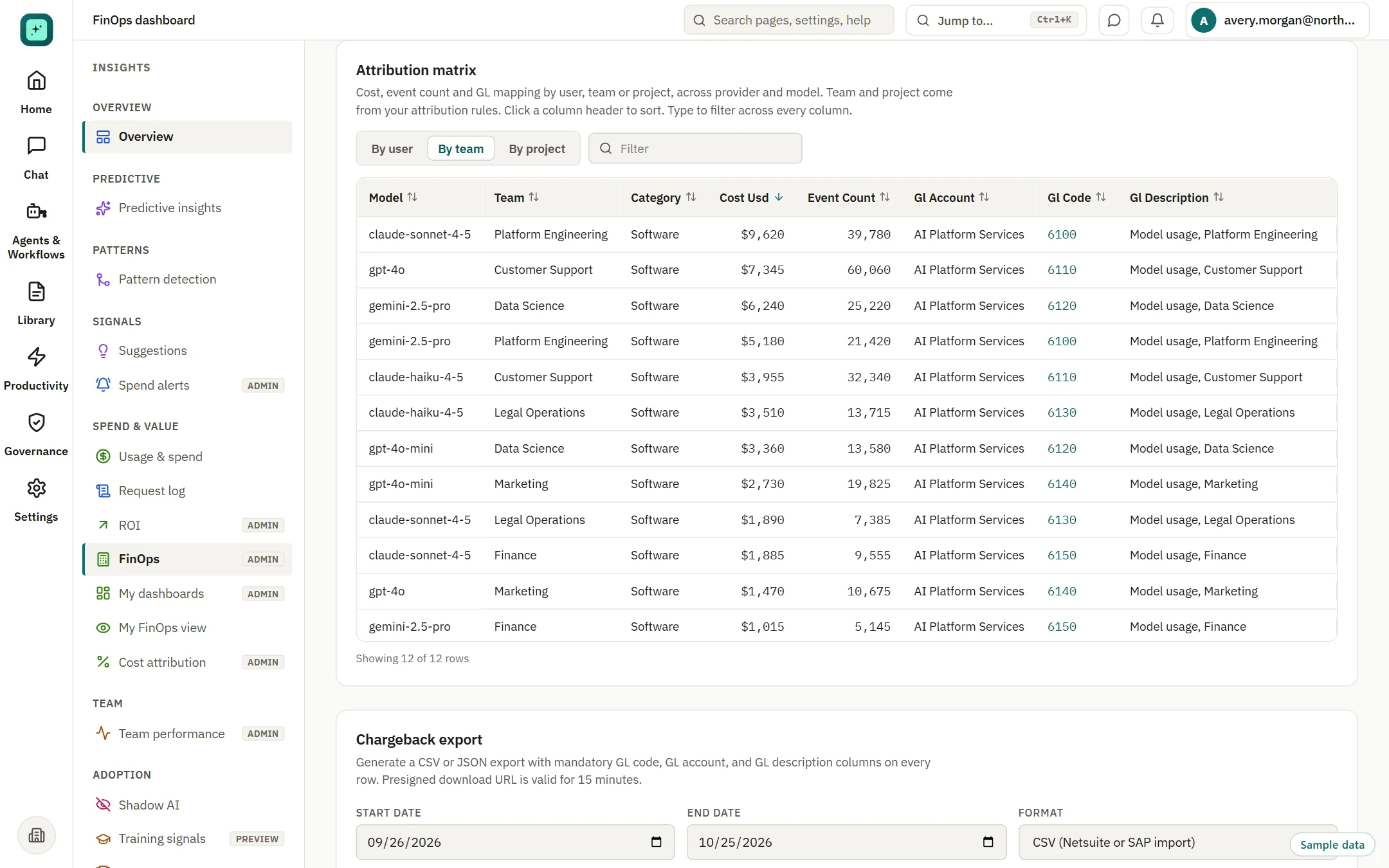
Spend by team and model, with a ledger code on every row.
Attribution, forecast to budget and chargeback export for your finance system.
Step 4 of 6 · Simulate
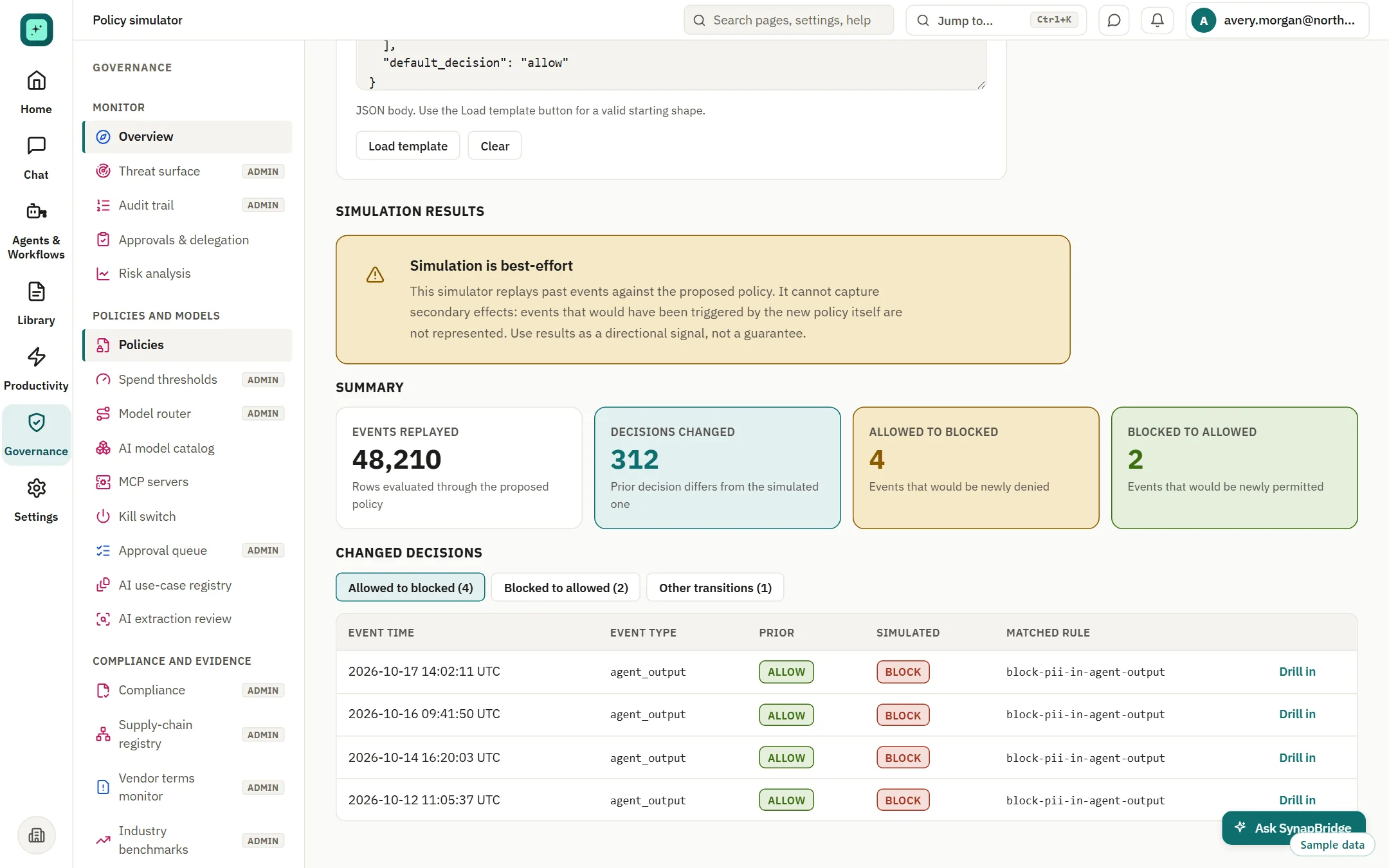
Model a rule on past events.
See which decisions would change from allowed to blocked, and the reverse. Simulated rule sets are proposals and do not change live behavior today.
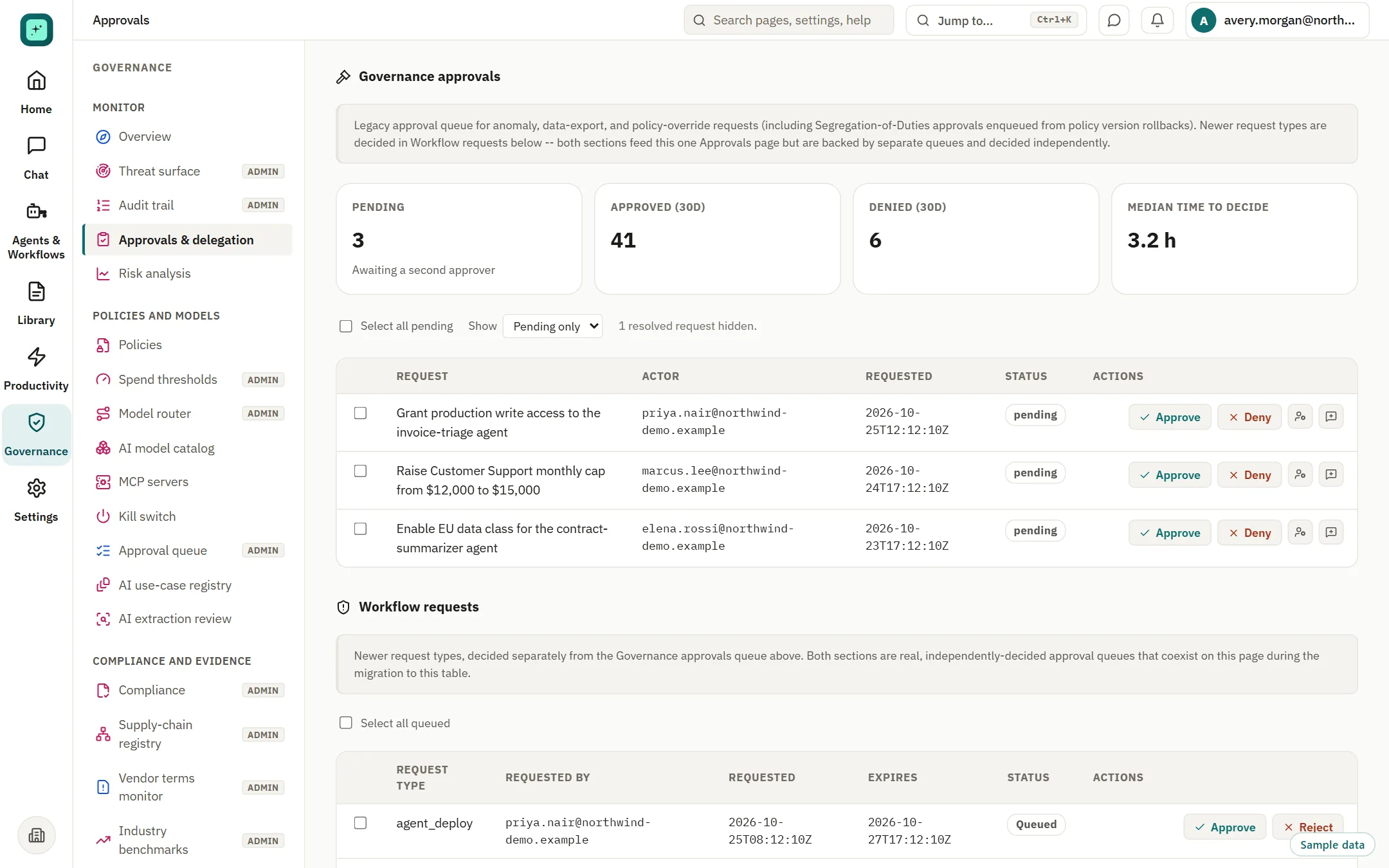
Step 5 of 6 · Approve
Named reviewers decide high-impact changes.
Approve, deny or reassign from one queue. Approvals are in Beta.
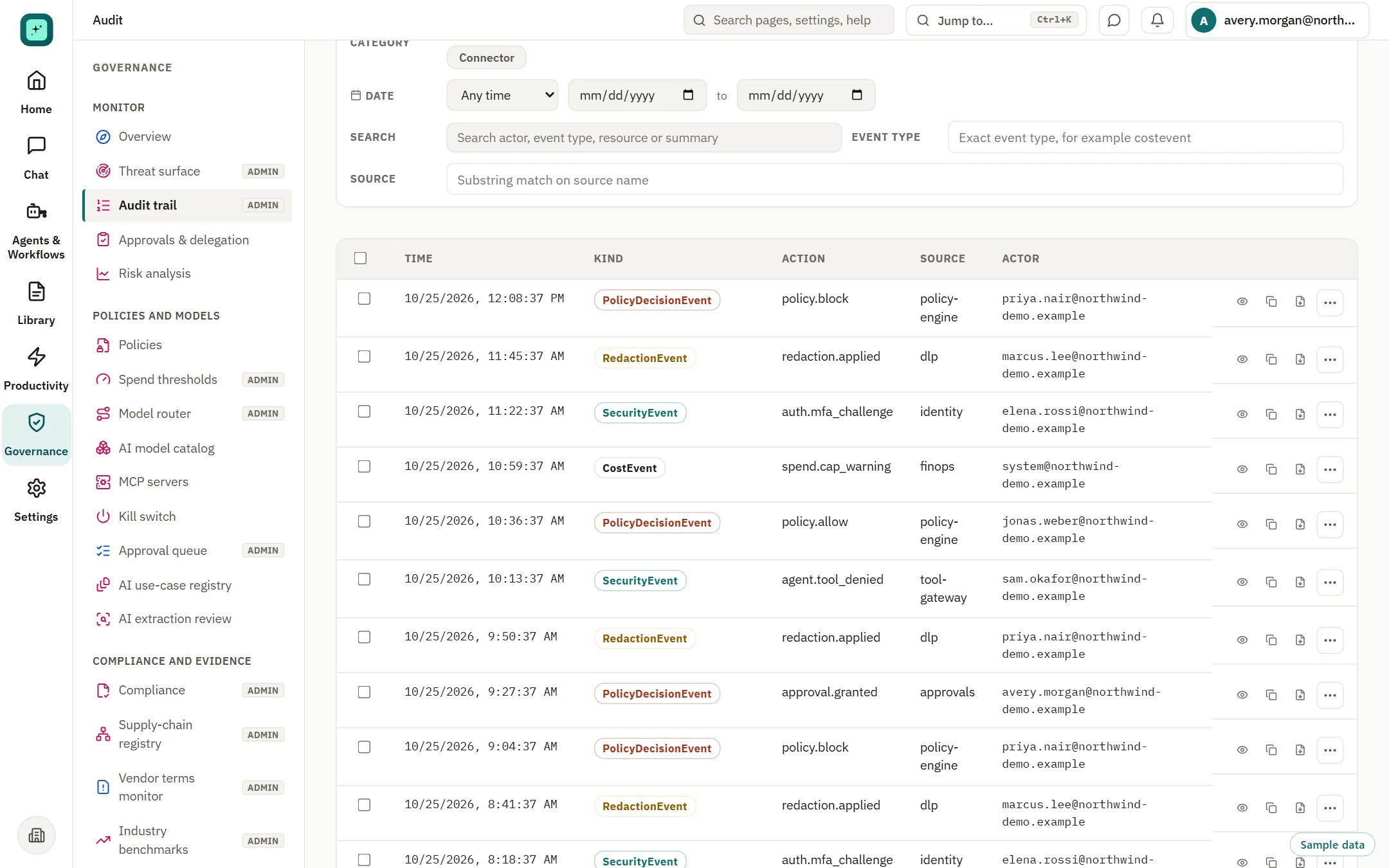
Step 6 of 6 · Evidence
A searchable record you can send to your tools.
Audit records carry the policy version that decided them. SIEM streaming is in Beta.
Sample data on a fictional tenant. Beta features are labelled. Nothing here is a customer result.
Prefer to watch?
Three walkthroughs, under a minute each.
Recorded in the product on a fictional tenant with sample data. Captioned and silent, so they play anywhere, including in a meeting.
Read the transcript
- Compare: one prompt, several models, one view. Every answer shows its latency and cost.
- Control: every governed request is checked against the active policy. One score, with next steps ranked by the points each adds.
- Evidence: each decision is written down with the policy version.
Read the transcript
- One ledger: spend by team and model, with a ledger code on every row. Switch the view by user, team or project.
- Forecast: see where the month ends up, with a planning upper estimate.
- Alerts: caps and alerts warn the owner early. They are checks, not guarantees.
Read the transcript
- Registry: every tool server on one list, with a decision on file. Classification rules decide which servers may be used at all.
- Approve: named reviewers approve, deny or reassign from one queue.
- Ledger: each agent run is recorded with its policy and outcome. Agents and MCP are in Beta.
Seen enough to try it?
Connect a provider on the free plan, or bring your reviewers to a walkthrough.